

Table of Contents[Hide][Show]
- Key Takeaways
- Conclusion
Frequently Asked Questions+−
- Why is Pinterest considered a visual search engine rather than a social media platform?
- How can I identify my target audience on Pinterest?
- What are Rich Pins, and why are they important?
- How often should I post on Pinterest?
- What metrics should I track to measure the success of my Pinterest marketing efforts?
Looking to supercharge your Pinterest efforts? This Pinterest marketing strategy guide will help you boost engagement, drive traffic, and increase sales by implementing a robust Pinterest content strategy. Learn how to define your target audience, optimize your profile, craft high-quality content, and leverage unique Pinterest features, as well as Pinterest SEO. Ready for results in 2025? Let’s get started.
Key Takeaways
Pinterest’s high purchase intent and unique features make it an effective platform for businesses to drive conversions and stand out in the digital marketplace.
Creating a well-structured Pinterest marketing strategy, including using a Pinterest marketing plan template to define your target audience, set clear goals, and optimize your profile with relevant keywords, ensures alignment with business objectives and boosts visibility.
Leveraging Pinterest SEO, consistent high-quality content pinning, and engaging with the Pinterest community effectively can significantly enhance user engagement and drive traffic to your website.
Pinterest marketing tips can help improve engagement and drive traffic by providing practical advice on optimizing your pins and boards. Aligning your strategy with the latest Pinterest trends ensures your content remains relevant and engaging.
Understanding Pinterest Marketing Strategy

Pinterest stands out as a unique visual search engine where users explore, share, and store visual content. Unlike traditional social media, Pinterest is designed to help users discover new ideas and products through images and videos, making it an invaluable platform for businesses to tell their brand stories visually. Businesses can establish a strong emotional connection with their audience by effectively communicating their brand’s message and values through visuals.
The platform’s high purchase intent is one of the most compelling reasons to adopt a Pinterest marketing strategy. A whopping 85% of weekly users have purchased something based on a Pin they saw, and 83% of users have purchased from content they’ve encountered on Pinterest. This high level of purchasing intent makes Pinterest an ideal platform for driving conversions and sales.
Pinterest’s unique features, such as Pinterest Analytics and the ability to run ads, provide businesses with tools to optimize their marketing efforts. Additionally, Pinterest’s unconventional features, which are not replicable on other social networks, offer a distinct advantage for businesses looking to stand out in the crowded digital marketplace. Incorporating Pinterest into your marketing strategy can significantly increase brand visibility, drive website traffic, and engage with a highly active user base.
Using a Pinterest content calendar is crucial for planning and organizing content effectively. It helps businesses schedule Pins in advance, ensuring a consistent posting schedule and maximizing engagement.
Moreover, understanding Pinterest demographics is essential to tailor your marketing efforts effectively. By knowing the age, gender, and interests of your audience, you can create content that resonates more deeply with them.
Moreover, Pinterest is particularly beneficial for small businesses. It allows them to review competitors’ tactics, understand audience behavior, and conduct market research. Effective use of Pinterest can help small businesses grow their brand awareness and foster durable relationships with their target audience.
Benefits of Marketing on Pinterest
Marketing on Pinterest offers numerous benefits for businesses looking to enhance their online presence. With over 460 million active users, Pinterest provides a vast audience for businesses to reach and engage with. One of the primary benefits of marketing on Pinterest is its ability to drive significant traffic to your website.
Another key advantage of Pinterest marketing is its potential to increase brand awareness. The platform’s visual nature allows businesses to create engaging and high-quality content that reflects their brand’s personality and aesthetic. Pinterest’s algorithm favors content that is both relevant and engaging, making it easier for businesses to reach their target audience effectively.
Moreover, Pinterest offers a range of advertising options, including video ads, carousel ads, and shopping ads. These advertising formats enable businesses to target their audience precisely and drive traffic to their website. By leveraging Pinterest’s advertising options, businesses can boost their brand awareness, drive more traffic, and ultimately, increase sales.
Pinterest Users and Demographics
Understanding Pinterest’s user demographics is crucial for businesses aiming to optimize their marketing efforts on the platform. According to Pinterest, 69.5% of users are women, with the majority falling within the 25-34 age range. Additionally, Pinterest users tend to have higher income and education levels compared to users on other social media platforms, making them a valuable audience for many businesses.
Pinterest users are also highly engaged, with 85% utilizing the platform to start new projects. This high level of engagement makes Pinterest an ideal platform for businesses to showcase their products and services while inspiring users. Furthermore, Pinterest users are more likely to purchase from a brand they encounter on the platform, making it an excellent channel for driving sales and conversions.
Crafting Your Pinterest Marketing Strategy

To succeed on Pinterest, having a well-structured marketing plan is crucial. Your plan should include:
Audience targeting
Setting clear goals
Optimizing your profile
Developing a robust content pinning strategy
Consider using Pinterest templates for business to help structure your marketing plan effectively.
Additionally, aligning your strategy with the latest Pinterest trends ensures your content remains relevant and engaging.
Addressing these components guarantees alignment of your Pinterest marketing efforts with your overall business objectives, thus driving significant results.
Define Your Target Audience
Understanding your target audience is the first step in crafting an effective Pinterest marketing strategy. Here are some key statistics about Pinterest users:
Pinterest has 498 million active users
69.5% of Pinterest users are women
The primary age group on Pinterest is 25-34
Users visit Pinterest for various reasons, from seeking inspiration to making purchasing decisions.
Understanding Pinterest demographics can help in defining the target audience more accurately, allowing you to focus your marketing efforts on the right user segments.
Identifying the demographics, interests, and pain points of your audience enables you to create an ideal client avatar (ICA), tailor your content to meet their needs
Set Clear Goals
Setting specific objectives for your Pinterest marketing efforts is essential for measuring success and guiding your strategy. Whether your goal is to increase website traffic, boost brand awareness, or drive sales, having clear goals will help you stay focused and create relevant content. Setting Pinterest marketing goals is crucial to measure the success of your strategy and make necessary adjustments.
Additionally, aligning your strategy with the latest Pinterest trends can ensure your content remains relevant and engaging for your audience, making it an essential part of your Pinterest marketing strategies.
Optimizing Your Pinterest Profile
Optimizing your Pinterest profile is vital for enhancing discoverability and establishing a strong brand presence. Here are some steps to follow:
Use relevant keywords in your username, display name, and bio to improve visibility.
Ensure your profile is visible to search engines.
Claim your domain.
Customize your profile visuals to reflect your brand identity.
Pinterest profile optimization is crucial for improving discoverability and attracting more followers.
These steps will help potential followers find your content and increase your profile’s visibility.
Create a Pinterest Business Account
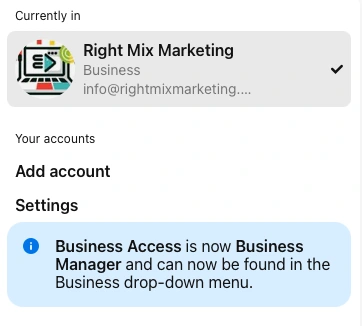
Creating a Pinterest business account provides access to valuable tools like Pinterest Analytics and additional marketing features. To start, you can either create a new business account or convert an existing personal account by following simple steps. Ensure you fill out your business information, including professional email, business name, description, and website link, to complete the setup.
Optimize Your Profile with Keywords
Incorporating relevant keywords into your profile is crucial for improving visibility. Use keywords in your username, display name, and bio to make your profile easily discoverable by users searching for related terms.
This keyword strategy will help attract the right audience and increase your profile’s reach on Pinterest.
Developing a Content Pinning Strategy

A successful content pinning strategy involves:
Consistently posting high-quality, engaging visual content
Scheduling pins regularly
Focus on creating fresh pins daily
Avoid bulk pinning to maintain a steady flow of new content
Utilizing Pinterest content ideas to keep the content fresh and engaging.
This approach ensures that your audience always has something new to explore, keeping them engaged and coming back for more.
Use High-Quality Images and Videos
High-quality images and videos, including video pins, are essential for standing out on Pinterest. Unique visuals can attract followers and drive more engagement. Branded videos between 30-90 seconds long perform exceptionally well, significantly improving audience engagement.
A well-planned Pinterest video strategy is crucial for improving engagement with video pins, as it helps in capturing the audience’s attention and encouraging interaction.
Additionally, using Idea Pins and Try On product pins can enhance your storytelling and provide an immersive experience for your audience.
Schedule Pins Regularly
Using scheduling tools helps maintain a consistent posting schedule and reach audiences at optimal times. Tools like SocialPilot and Buffer can automate the pinning process, saving time and ensuring better content organization. Regularly scheduled pins keep your profile active and engage your audience effectively.
Leveraging Pinterest SEO for Marketing

Pinterest SEO is crucial for ensuring your content is discoverable on both Pinterest and traditional search engines. Pinterest keyword research is essential for identifying the right keywords to use in your pins, which can significantly improve their visibility and engagement. Conducting Pinterest keyword research helps you identify relevant search terms related to your product and industry. Optimizing your pins with targeted keywords enhances their visibility and allows you to reach a broader audience.
Incorporating Pinterest SEO strategies into your Pinterest marketing strategy will enhance your content’s performance and drive more traffic to your website.
Conduct Keyword Research
Conducting Pinterest keyword research helps identify relevant search terms related to your product and industry, as well as related keywords. Use tools like Pinterest’s autocomplete feature, trends tool, and SEO plugins to discover long-tail keywords and trending topics. Conducting Pinterest keyword research is crucial for identifying the right keywords to use in your pins.
This research will inform your keyword strategy and improve your content
Utilize Rich Pins
Rich Pins provide real-time information directly on the pin, enhancing its value and driving more traffic to your website. They come in three types:
Product: Provides additional details like price and availability.
Recipe: Provides additional details like ingredients and cooking time.
Article: Provides additional details like headline and author.
Utilizing Rich Pins can boost your Pinterest SEO and avoid duplicate content while providing a better user experience.
Using Pinterest Advertising
Pinterest ads, known as Promoted Pins, are powerful tools for boosting visibility and achieving specific marketing goals. With Pinterest advertising, various ad types are offered, including video ads, collections, and Promoted Pins, each designed to enhance your marketing strategy.
Pinterest ad targeting is crucial for reaching the right audience and maximizing ad effectiveness. Leveraging these ads can help increase your reach and drive more engagement on your Pinterest
Types of Pinterest Ads
Explore the different types of Pinterest ads to find the best fit for your marketing objectives. Carousel ads allow each image to have a different title and description, leading to separate landing pages, making them versatile and engaging.
Collections ads feature a hero image followed by up to 24 secondary images, offering a full-screen view when clicked, ideal for showcasing a range of products. Understanding these ad types will help you choose the most effective format for your campaigns.
Setting Up a Pinterest Ad Campaign
Setting up a Pinterest ad campaign involves the following steps:
Select a campaign objective.
Create ad groups.
Effectively target your ads.
Use the Pinterest Ads Manager to choose between custom and automatic bidding options, ensuring your ads reach the right audience.
Careful planning and execution of your ad campaign, including social media marketing, maximize its success and aid in achieving your marketing goals.
Engaging with the Pinterest Community
Building a loyal Pinterest community can significantly enhance user engagement and drive traffic to your website. Here are some strategies to help you achieve this:
Promote your Pinterest account on other social networks.
Learn from competitors by studying their Pinterest strategies and content.
Engage with followers through direct messaging and group conversations.
A well-planned Pinterest engagement strategy is crucial for building a loyal community.
By implementing these strategies, you can build a strong and engaged Pinterest community.
These efforts will help you cultivate a dedicated following and create cross-platform
Join Group Boards
Joining well-curated group boards with active members allows you to:
Collaborate with others
Reach a highly targeted audience
Share ideas and plans
Expand your reach
Find relevant content to pin to your boards
Group boards are a valuable tool on Pinterest for expanding your reach and finding relevant content to pin to your Pinterest boards.
Interact with Followers
Interacting with followers by following, liking, commenting, and re-pinning user content fosters engagement and builds personal relationships. These interactions help create a loyal community on Pinterest, driving more followers and enhancing your brand’s presence on the platform.
Analyzing and Adjusting Your Pinterest Marketing Strategy
It is crucial to regularly analyze Pinterest data in order to understand what content performs best. This analysis can help make data-driven adjustments to your marketing strategy. Leveraging Pinterest Analytics allows you to refine your content, aligning it with audience preferences and consequently driving better engagement and performance. Using Pinterest analytics tools to track performance is essential for making informed decisions and optimizing your strategy effectively.
Monitor Key Metrics
Tracking key metrics such as:
impressions
clicks
saves
engagement rates
is crucial for measuring the success of your Pinterest marketing efforts. Use insights from Pinterest Analytics to understand which content resonates with your audience and make informed decisions to improve your strategy.
Make Data-Driven Adjustments
Refining your marketing strategy based on insights from Pinterest Analytics is crucial for improving overall engagement and performance. Here are some key metrics to analyze:
Click-through rates: Identify the best-performing content formats and most effective keywords.
Engagement rates: Determine which pins are resonating with your audience and generating the most interactions.
Impressions: Track the reach of your pins and identify trends in visibility.
Conversion rates: Measure the effectiveness of your pins in driving website traffic and conversions.
Continuously iterating on your strategy based on data will enhance your Pinterest marketing efforts and drive more traffic to your website.
Avoiding Common Mistakes
When marketing on Pinterest, businesses can sometimes fall into common pitfalls that hinder their success. Here are a few mistakes to avoid to ensure a successful Pinterest marketing strategy:
Don’t Post Low-Quality Images
One of the most common mistakes businesses make on Pinterest is posting low-quality images. Given the platform’s visual nature, high-quality images are essential for capturing users’ attention and showcasing your brand’s products and services effectively. Always use high-resolution images that are relevant to your brand and resonate with your target audience.
Don’t Ignore Group Boards
Another frequent mistake is ignoring group boards. Group boards offer businesses the opportunity to collaborate with other users and reach a broader audience. Participating in well-curated group boards that align with your brand and target audience can significantly expand your reach and engagement on Pinterest.
Don’t Just Pin Your Own Content
Only pinning your own content is a mistake that can limit your engagement on Pinterest. While it’s important to highlight your brand’s products and services, it’s equally crucial to pin content from other users and sources. This approach helps you engage with your audience more effectively and provides them with a diverse range of content, enhancing their overall experience on your Pinterest profile.
By avoiding these common mistakes, businesses can create a robust Pinterest marketing strategy that drives traffic, increases brand awareness, and ultimately, boosts sales.
Conclusion
In conclusion, Pinterest offers a unique and powerful platform for businesses to engage with a highly active user base through visual storytelling. Understanding Pinterest’s distinct features and leveraging a well-crafted marketing strategy can significantly enhance your brand’s visibility and drive meaningful results. From defining your target audience and setting clear goals to optimizing your profile and developing a robust content-pinning strategy, each step plays a crucial role in your success.
Embrace Pinterest SEO to improve content discoverability, engage with the community to build loyalty, and utilize Pinterest Analytics to make data-driven adjustments. Don’t forget to explore Pinterest ads to boost visibility and achieve specific marketing objectives. By following these comprehensive tips, you’ll be well-equipped to create a stellar Pinterest presence in 2025, driving traffic and engagement like never before.
Frequently Asked Questions
Why is Pinterest considered a visual search engine rather than a social media platform?
Pinterest is considered a visual search engine because, unlike a typical social media platform, it allows users to search for inspiration and products through images and videos. It’s all about actively seeking and saving ideas!
How can I identify my target audience on Pinterest?
To identify your target audience on Pinterest, analyze demographics, interests, and pain points. Keep in mind that Pinterest’s user base is mainly women aged 25-34, who use the platform for inspiration and making purchasing decisions. Start understanding your audience to enhance your strategy!
What are Rich Pins, and why are they important?
Rich Pins are important because they provide real-time information directly on the pin, enhancing its value and driving more traffic to your website. They come in product, recipe, and article formats, offering additional details like price and availability, making them a valuable tool for engagement and conversion.
How often should I post on Pinterest?
To keep your audience engaged and maintain a steady flow of new content, aim to post at least one fresh pin daily on Pinterest. This will help increase your visibility and grow your following.
What metrics should I track to measure the success of my Pinterest marketing efforts?
To measure the success of your Pinterest marketing efforts, you should track metrics such as impressions, clicks, saves, and engagement rates using Pinterest Analytics. These insights will guide your strategy adjustments and help you understand what content resonates with your audience.
 Define Webinar: What is a Webinar and its Benefits?